The Private Driving Log App for Learner Permit Hours
Track supervised driving hours, night driving, and progress. DriveMint works offline, requires no account, and keeps your driving data on your phone.
NC 60-hour log·Why it stays on your phone·RoadReady alternative
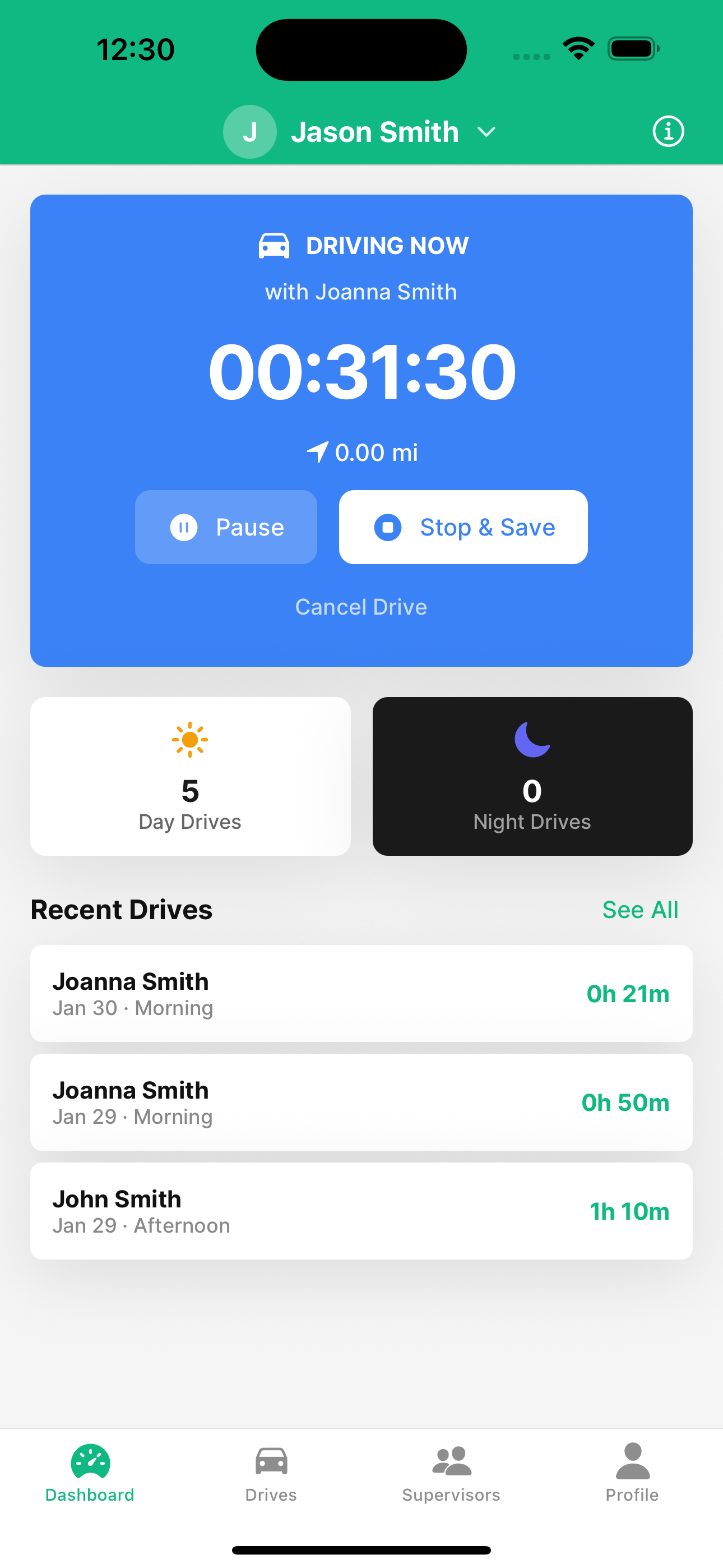
A permit driving log that stays on your phone
DriveMint records supervised practice for a learner's permit: hours, night driving, and a PDF you can take to the DMV.
No Account, Works Offline
Download and start logging. No signup, no password, no cell service required. Your permit log lives on the phone, not in our cloud.
Supervised Hours, Day and Night
Tap Start when practice begins. DriveMint records time automatically and splits night hours from the rest, using local sunset on your device.
Progress Toward Your State Total
See how many supervised hours you still need, including the night portion. Requirements for all 50 states are built in.
QR Transfer Between Phones
A parent can log a drive on their phone and pass it to the teen with a QR code. The transfer happens on the two screens. No server in the middle.
Private by Design
No tracking, no accounts, no cloud, no ads. Driving records never leave the device unless you export a PDF or a backup file yourself.
GPS Only If You Want It
Turn on GPS to capture distance. Coordinates are used on the phone to compute mileage, then discarded. Time logging still works with GPS off.
See DriveMint in Action
A clean, intuitive interface designed to make tracking your driving practice effortless.
Why DriveMint Is Different
No tracking. No accounts. No cloud. No ads. Just a simple app that respects your privacy.
Start Tracking in Three Simple Steps
No account. No cloud. A driving log you can hand to the DMV.
Download. No signup.
Get DriveMint from the App Store or Google Play. There is no account to create. Open the app and you can log a drive.
Start a supervised drive
Tap Start when practice begins. Time is logged on the phone. GPS distance is optional. Night minutes use local sunset, computed on the device.
Export the permit log
Watch the total and night hours against your state's requirement. When you are ready, export a PDF to print or show at the DMV.
The learner, the parent, and the parent who doesn't want a tracker
One log on the phone. No account for anyone in the car.
Learner drivers
You need a running total of supervised hours, including night hours, before the road test. DriveMint keeps that log without making you create an account.
Parents keeping the log
Log a drive from the passenger seat, pass it to your teen with a QR code, and see what is left against your state's hour requirement.
Parents who don't want a tracker
Some driving-log apps score braking, keep cloud accounts, and need location set to Always. DriveMint does not. Hours stay on the phone. GPS is optional, and raw coordinates are not saved.
How many practice hours does your state require?
Every state sets its own learner permit rules. Check the supervised driving hours, night requirements, and permit age where you live.
Gear up for the first solo miles
Once the license is in hand, a few inexpensive items make those first months safer. Here's the kit we'd actually keep in the car.
 DriveMint
The new-driver car kit
Nine essentials worth keeping in the car—and nothing you don't need.
As an Amazon Associate, DriveMint earns from qualifying purchases—at no extra cost to you.
Learner permit driving log questions
Hours, night driving, PDF logs, and why the data never leaves your phone.
What app tracks supervised driving hours for a learner's permit?
Do I need an account to use a driving log app?
Where does DriveMint store driving data?
Does DriveMint work offline?
How do I track driving practice hours with DriveMint?
How many practice hours do I need for my driver's license?
Can I export my driving log as a PDF for the DMV?
Is DriveMint a RoadReady alternative?
Is DriveMint free?
Ready to log your permit hours?
Download the private driving log app. Track supervised hours and night driving on your phone, with no account and no ads.