Why We Built DriveMint
A father and son in North Carolina, logging permit hours without handing the log to a cloud account.
Who we are
DriveMint is a father and son project from North Carolina. When our teen got a Level 1 Limited Learner Permit, we needed a way to log the 60 supervised hours (10 at night) NCDMV requires for Level 2. The app the local office pointed us to would not run on our phones. So we built one.
The publisher is IOup LLC. Support is support@ioup.io. We also make Drive Prep NC, a permit-test study app for the written exam that comes before the hours.
The problem we hit
NCDMV materials pointed us at RoadReady to track driving progress. The app looked dated, and the store listing was full of poor reviews. When we tried to install it on our Samsung phones, we got this:
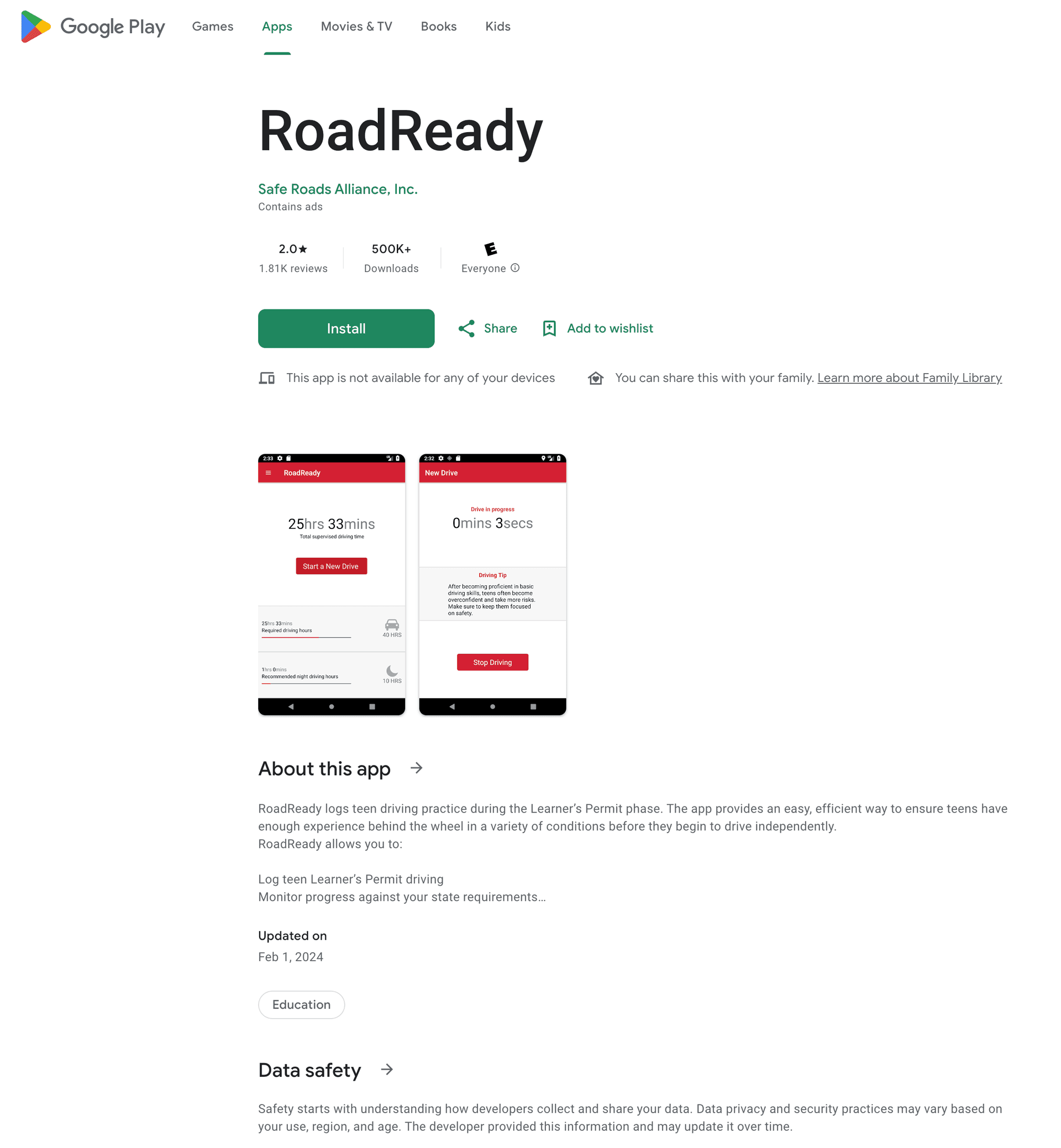
"This app is not available for any of your devices." Paper logs still work, but they are easy to lose and hard to total. We wanted a log that ran on a current Android phone, and on iPhone, without creating accounts for a 15-year-old and a parent just to count hours.
That is the origin of DriveMint, and of the RoadReady alternative page. We are not affiliated with RoadReady. The comparison table only uses facts from their public site and ours.
What "privacy first" means here
It is a product choice, not a slogan. DriveMint does not have user accounts. There is no DriveMint cloud. The app does not send driving sessions, names, or location to us. The Privacy Policy is the legal version. The short version is below.
What is stored on the phone
- Learner profile: name, permit number, state, date of birth, optional permit photos
- Supervisors: names, relationship, license number and state
- Each drive: date, duration, optional distance, weather, road type, day vs night, notes
That lives in a local SQLite database on the device. Uninstalling the app deletes it, unless you first export a backup file you control.
What leaves the phone
By default, nothing about your drives. We do not collect app analytics, crash reports, or device IDs. GPS, if you enable it, is processed on the device to compute mileage. Raw coordinates are not saved. A PDF or backup file leaves the phone only when you export it (Files, email, a drive you pick).
The website (this page) uses Google Analytics. The app does not.
How QR transfer works
A parent can log a drive on their phone, then show a QR code. The teen's phone scans it. The drive payload is encoded in the image on the screen and decoded on the other device. No DriveMint server sits in the middle. If the two phones cannot see each other, the transfer does not happen. That is intentional.
Longer version: private driving log, no account, no cloud.
What we ship
- Current iOS and Android. Built because our own phones were too new for the recommended app.
- State hour totals, including NC's 60 / 10. Night minutes use local sunset on the device.
- PDF export. NCDMV currently accepts digital and printed driving logs at the Level 2 road test.
NC driving exam videos
Our teen is recording short videos on the North Carolina knowledge test. Those will land here when they are ready. Until then, see the gear we keep in a new driver's car, and North Carolina's 60-hour requirement.
Ready to log permit hours without creating an account?
Download DriveMint